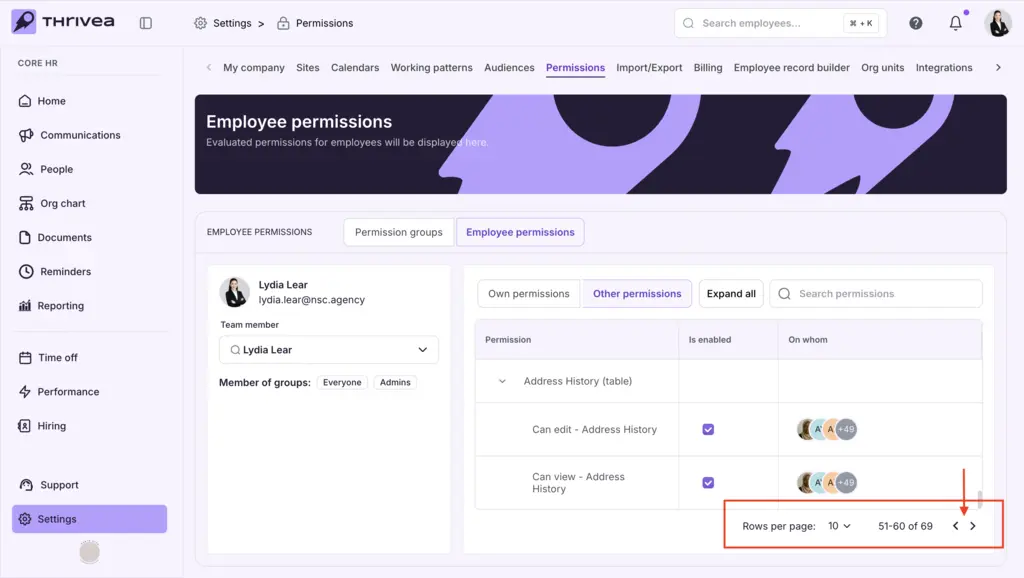

Reviewing Other Permissions
Use this checklist to audit a user’s authority over specific people information.
Pro Tip: Use this section to audit Manager roles and ensure leaders only have access to the information regarding the people they manage.
1. Open the Other Permissions Tab
Click the Other permissions tab in the center of the screen to view the specific user’s access to people information within the platform.
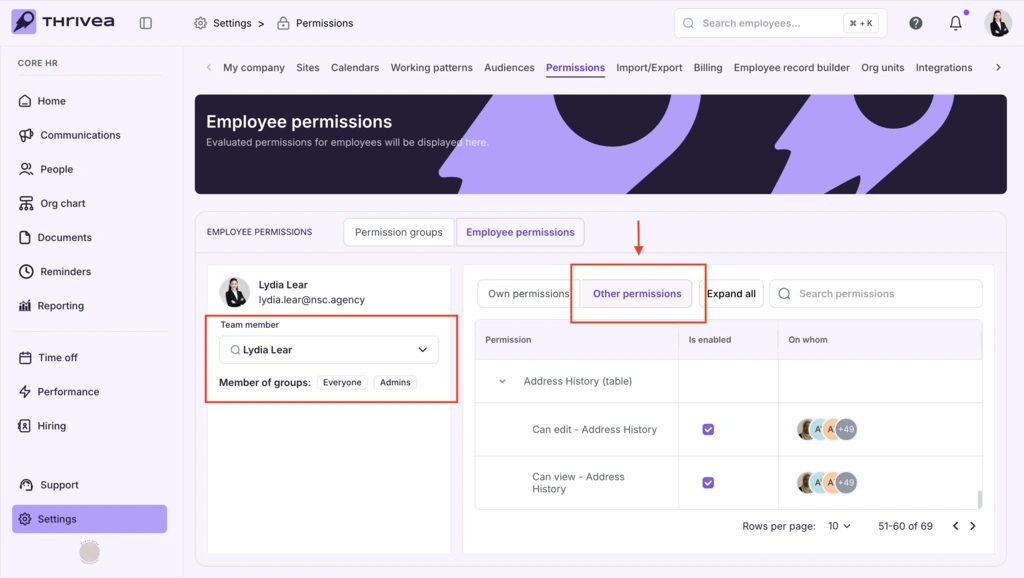
2. Review Access to all fileds in the platform
Scan the list of people information a user has acces over in the platform.
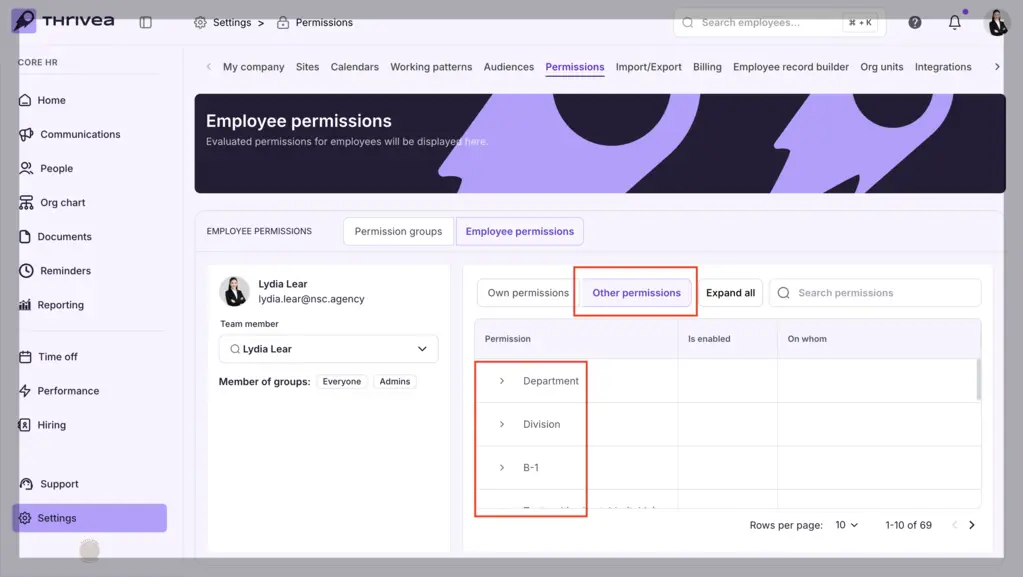
3. Audit Management Scope
Verify which specific segments and fields (e.g., “Home Adress” or “Team B-1”) the user has authority over.
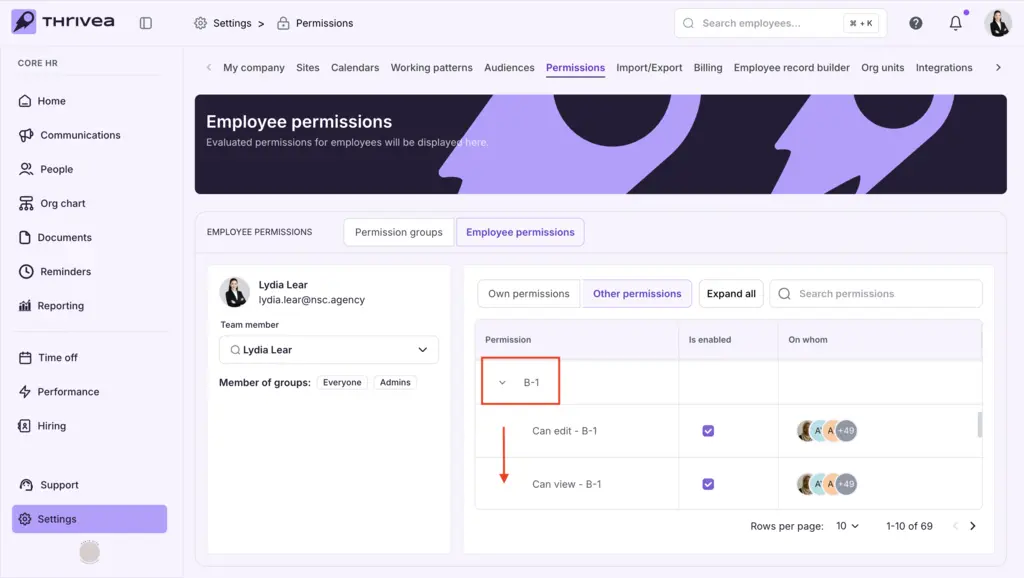
4. Filter by Unit Name
Use the Search permissions box on the right to jump directly to a specific unit (e.g., type “Sales” to find the Sales department).
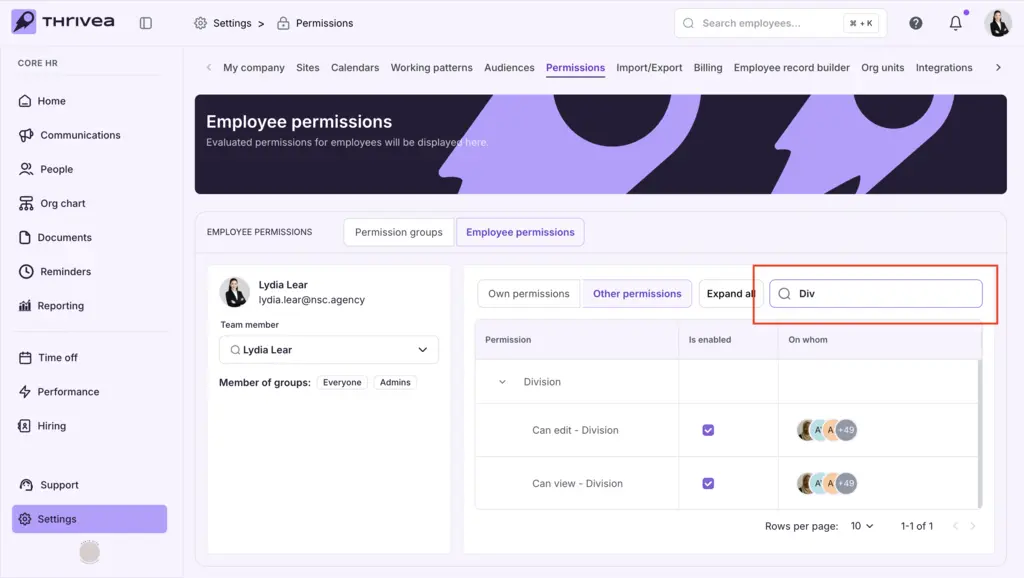
5. Verify Specific Actions
Check the Is enabled column for specific rows, such as “Can edit – Division” or “Can view – Department,” to confirm their level of control.
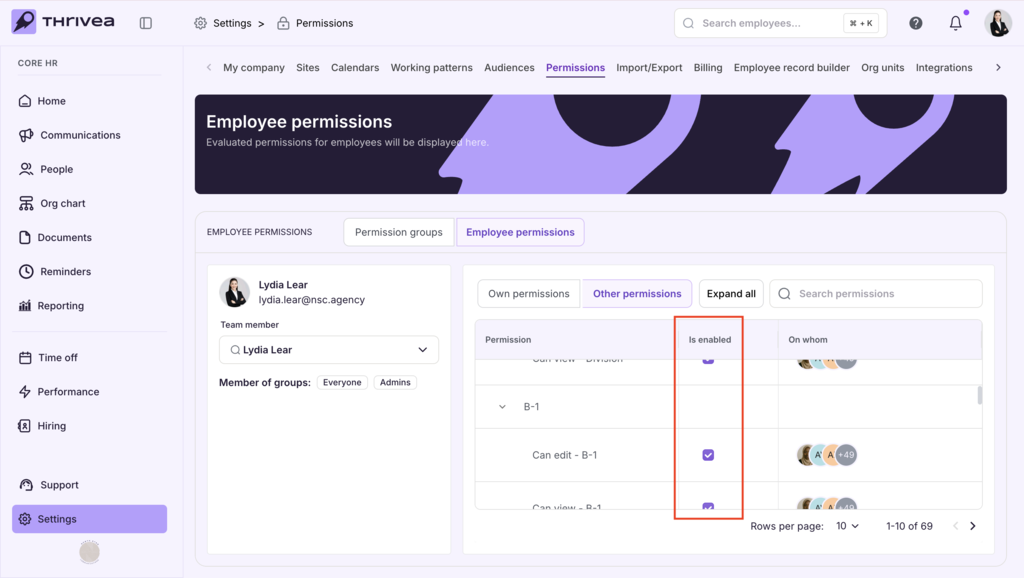
6. Check All Pages
Use the Pagination arrows at the bottom right to review every page of the user’s organizational authority.