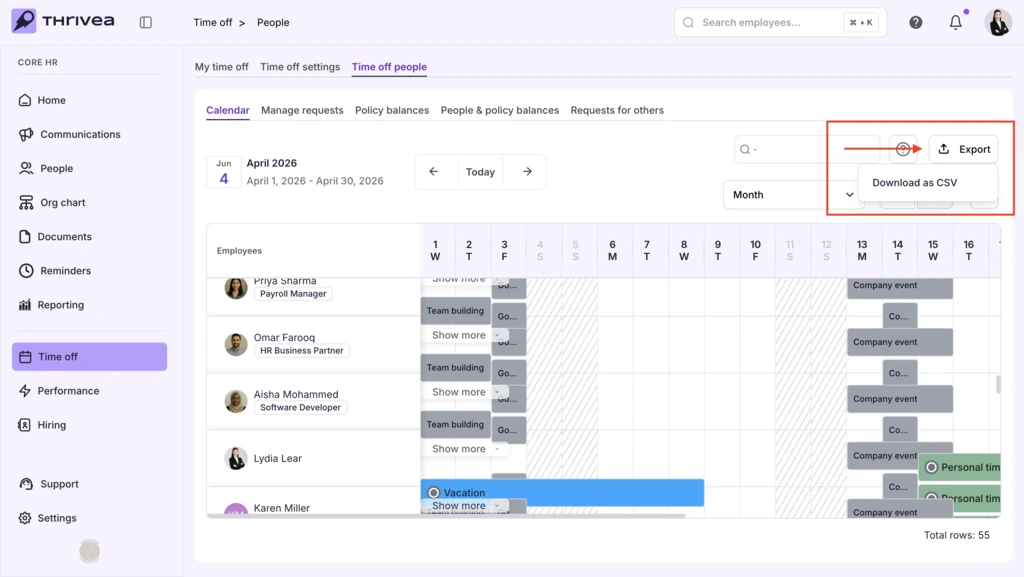

Team Availability & The Global Calendar
Follow these steps to visualize your team’s schedule and export attendance reports.
1. Navigate to Time off people > Calendar.
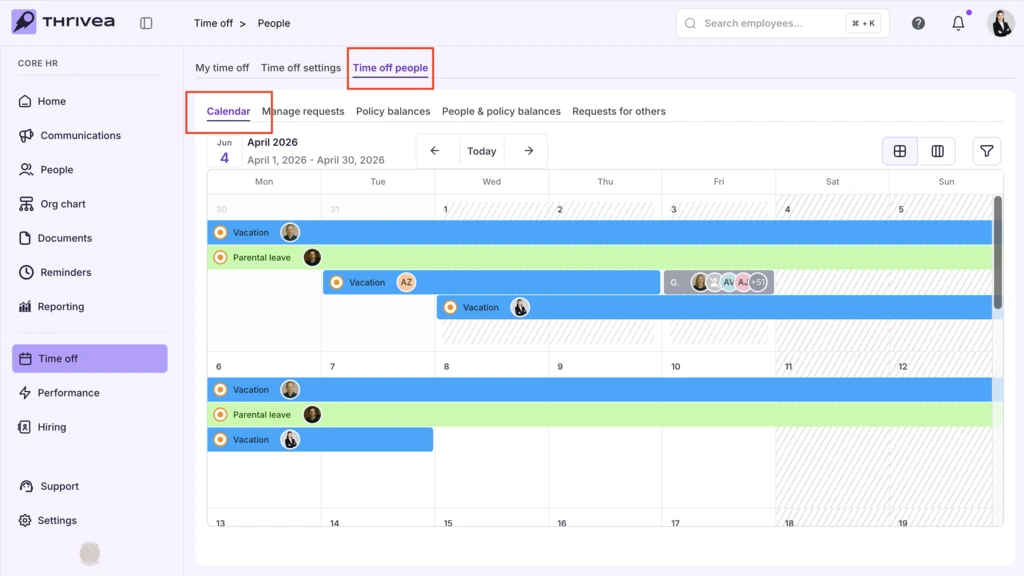
2. Switch between Tabs View and List View.
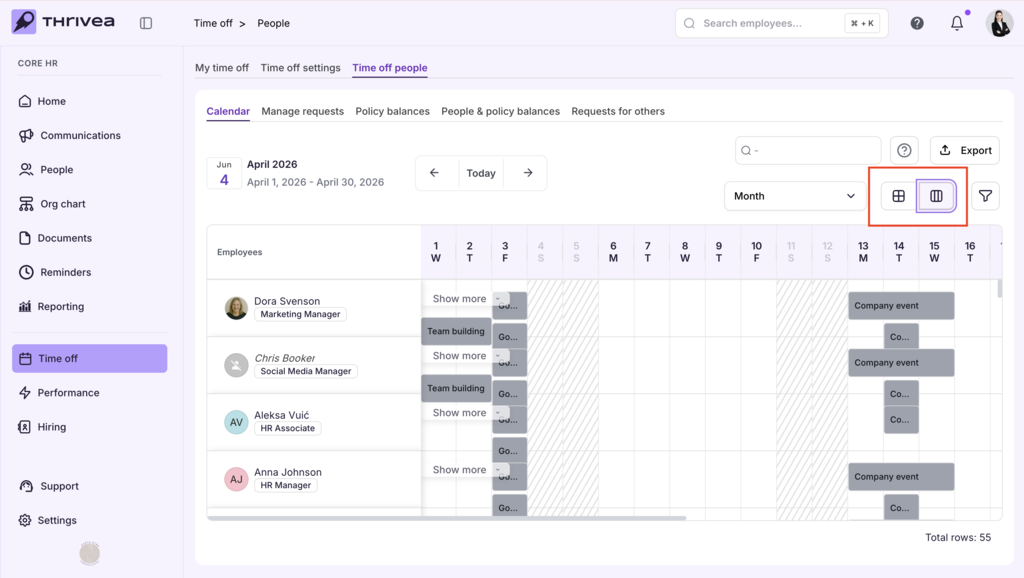
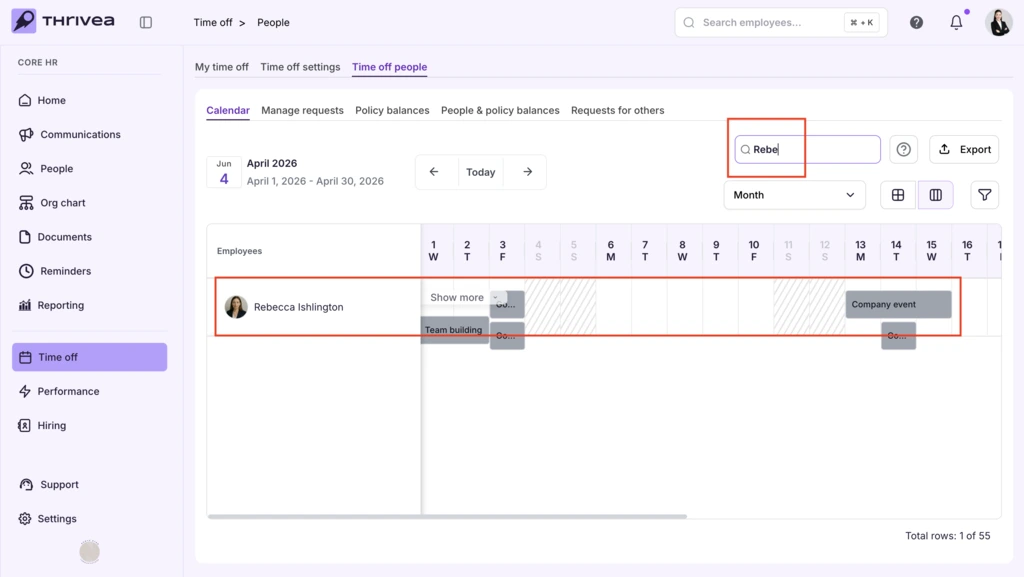
3. Locate specific employees in the List View.
Type a name into the Search Bar to jump directly to a specific team member’s row.
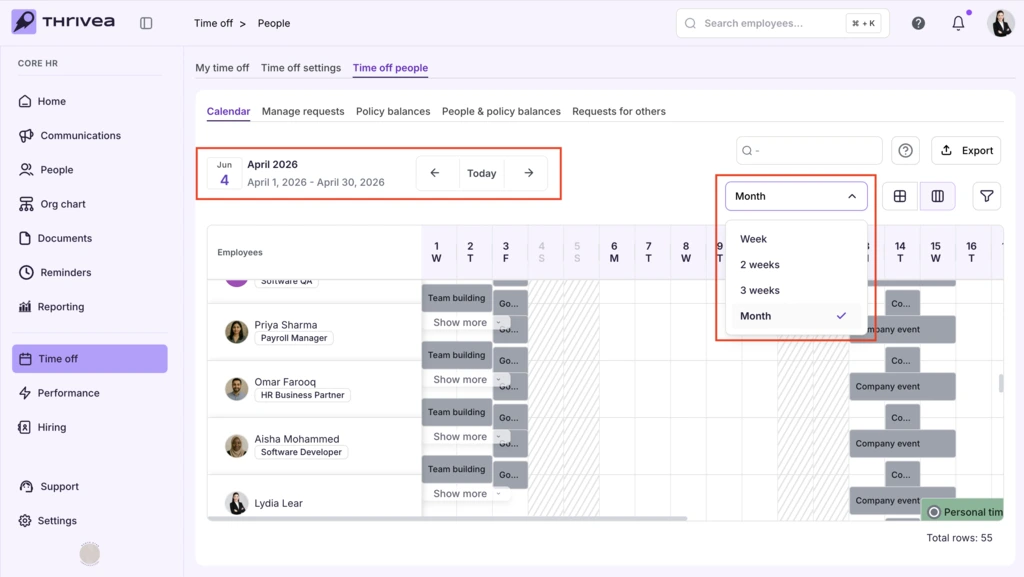
4. Adjust the time range
Use the Arrows next to the date to move between months, or click the View Toggle to switch between “Month” and “Week” views.
7. Review Leave
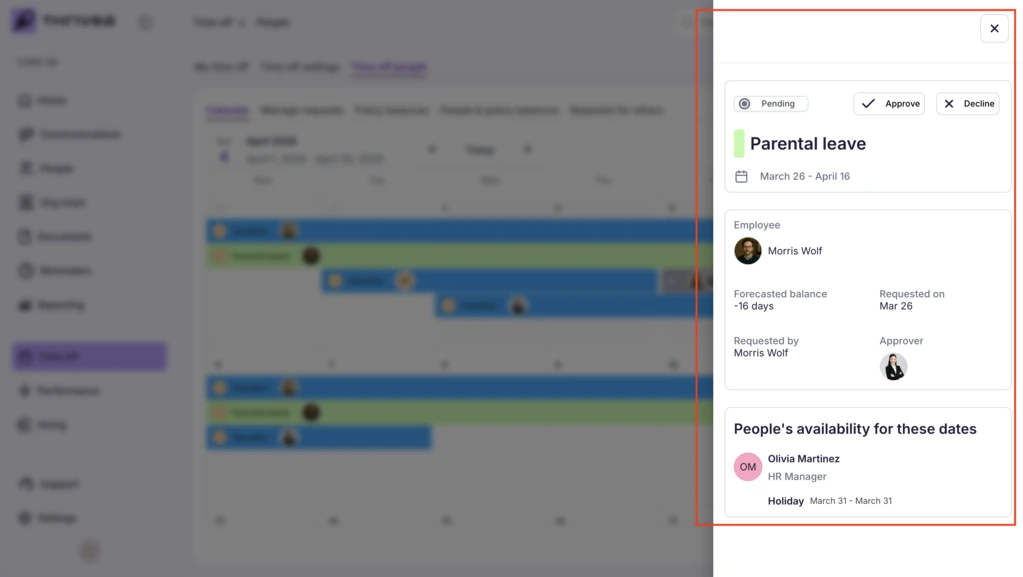
Click on any Colored Bar on the grid to see the specific policy (e.g., Personal Leave) and the employees who requested it.
8. Export the data
Click the Export button in the top right to download the attendance data.