
Creating Time Off Policy Types
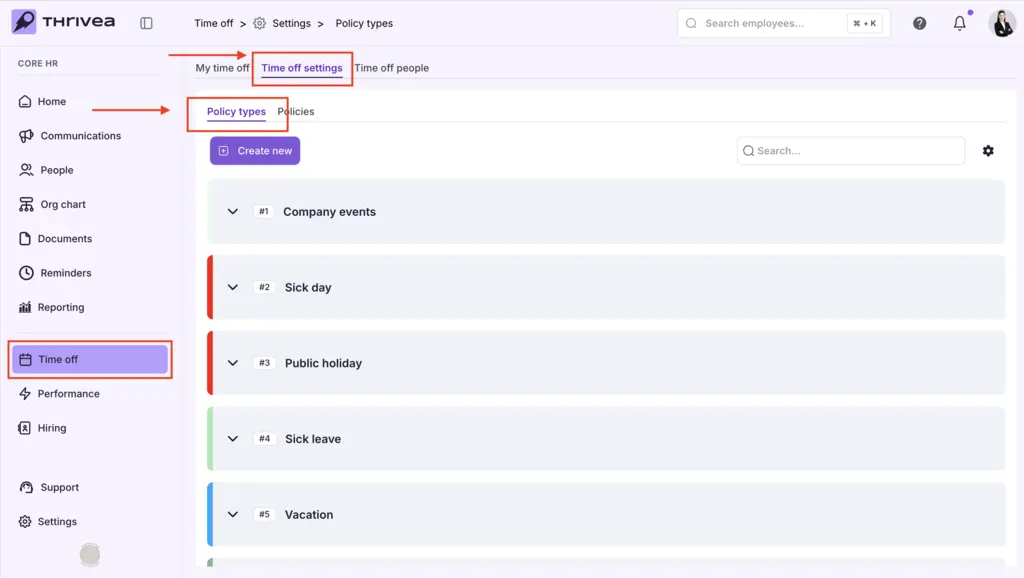
1. Navigate to Time off settings > Policy types.
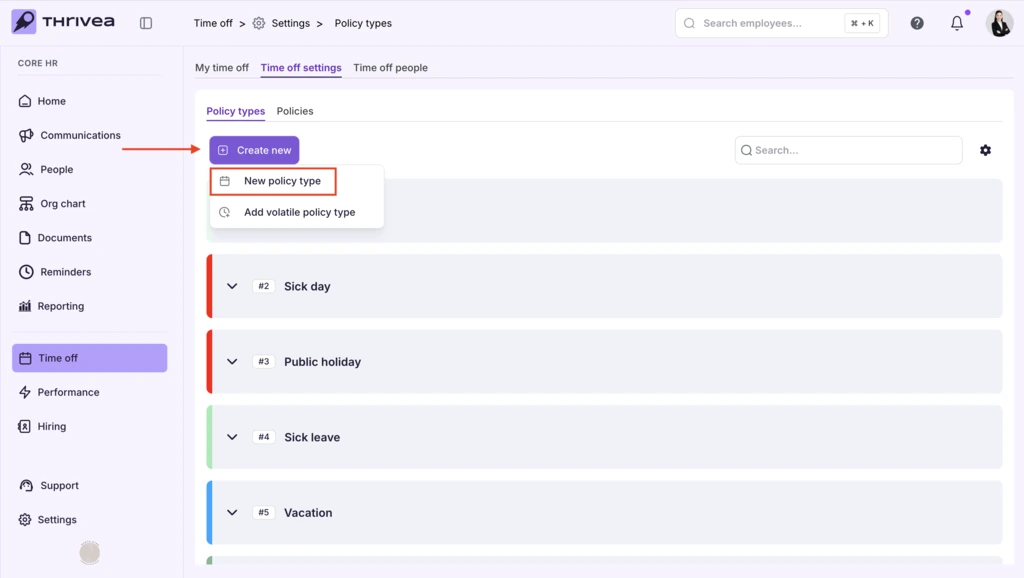
2. Click Create New and select New Policy type.
3. Enter a Name to define the leave category (for example, “Maternity Leave”).
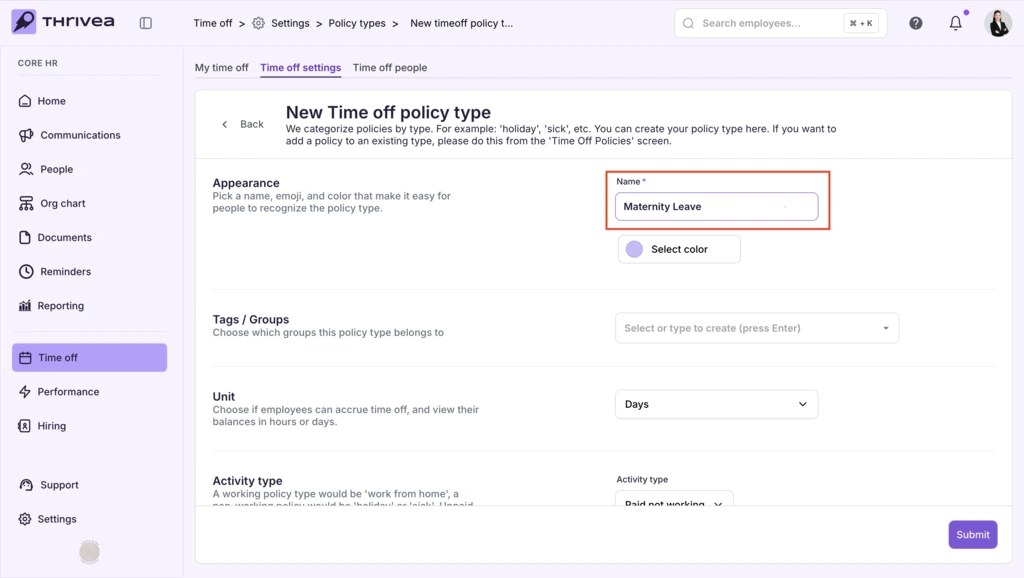
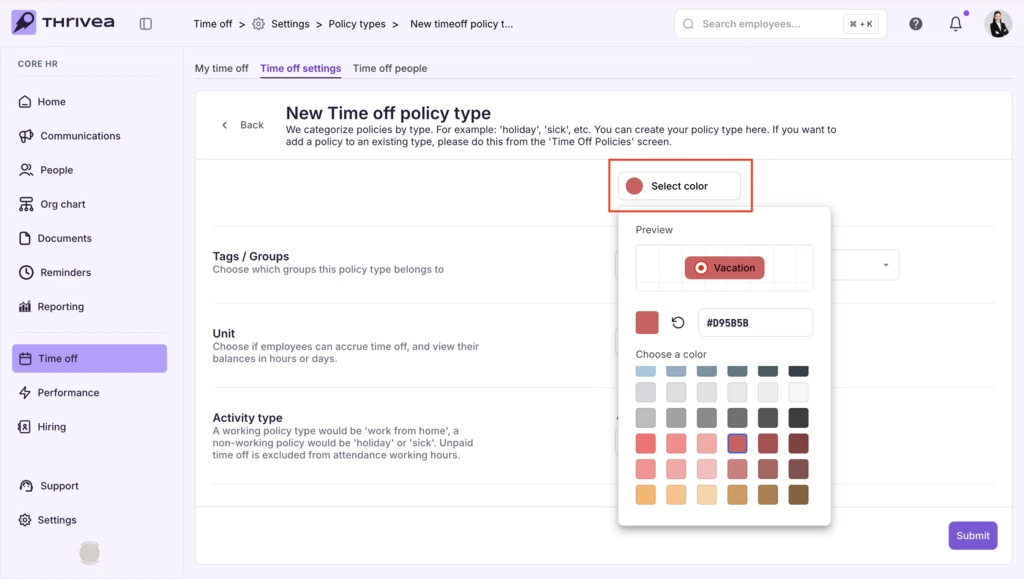
4. Choose a color to visually distinguish the policy type.
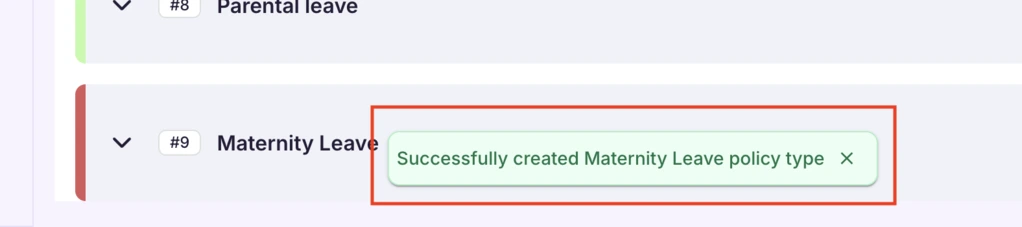
5. After clicking Submit to create the policy type, you will recieve a confirmation note at the bottom of your screen.