

Organization Structure in Thrivea
The organization structure in Thrivea is designed to connect how your company is configured with how it is visually represented.
It is built from two connected parts:
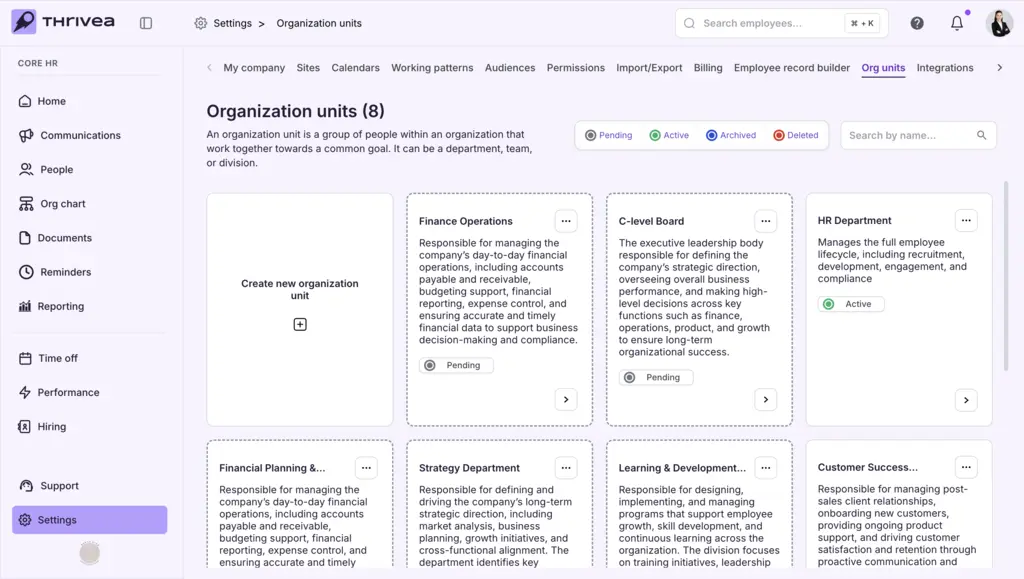
1. Org Units (Settings) – where you define the structure
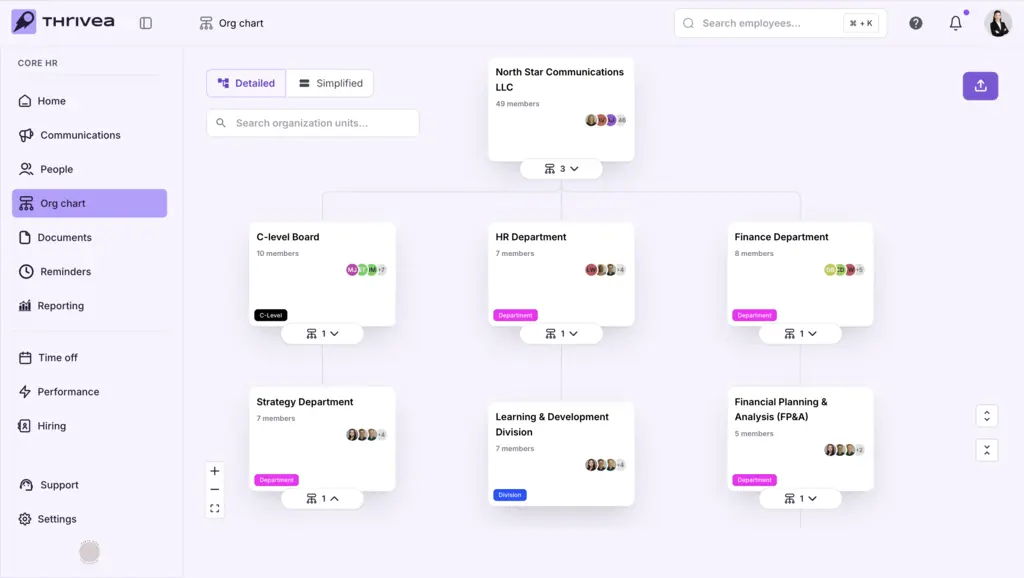
2. Org Chart (Navigation) – where you visualize it
How it works in Thrivea
- Org Units define your structure
All organizational hierarchy is created in Settings → Org Units, where you set up departments, teams, divisions, and reporting relationships. - Org Chart is generated automatically
The Org Chart, available in the left-hand navigation menu, is automatically built based on the structure you define in Org Units. - Changes sync in real time
Any updates made in Org Units (such as new teams, reporting lines, or assignments) are instantly reflected in the Org Chart. - Two perspectives of the same system
- Org Units = configuration layer (how your company is structured)
- Org Chart = visualization layer (how that structure is displayed)
- Navigate between setup and visualization
Use Org Units to build and manage your structure, and Org Chart to explore, understand, and export it.
Related guides
- Checklist: Configuring Organizational Units
- Checklist: Using the Org Chart
