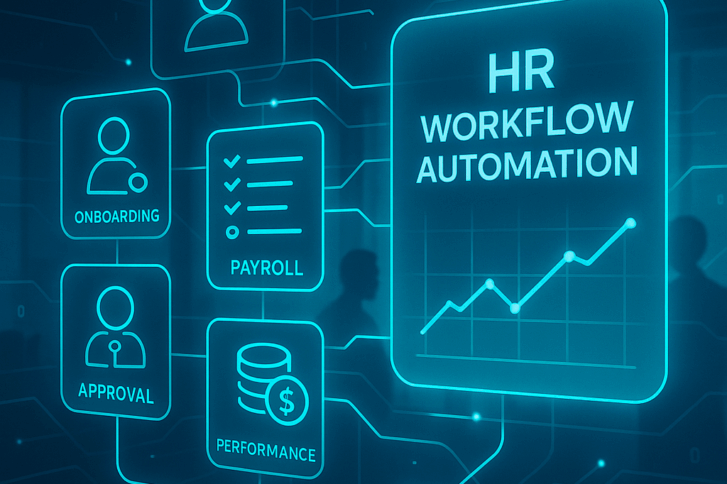
HR workflow automation uses software to move multi-step HR processes, such as approvals, forms, task handoffs, and employee data updates, through the right people and systems with minimal manual effort.
Most HR teams do not have a technology, but a coordination problem. A single new hire can involve HR, IT, payroll, and a line manager. Every handoff between them is another chance for something to be delayed, forgotten, or completed without a clear record.
HR workflow automation closes those gaps. Instead of keeping an HR process in someone’s head, inbox, or spreadsheet, you build the sequence once and let the system move the workflow forward consistently.
For HR staff, that means fewer repetitive tasks, less manual follow-up, and more time for HR work that actually requires judgment. For employees, better HR automation can mean faster employee requests, fewer delays, and a more consistent employee experience.
In this guide, I’ll show you how HR workflow automation works, which HR processes you should automate first, how to approach automating HR workflows without automating a broken process, and what you should look for when comparing HR automation software and workflow automation tools.
The goal is to remove the administrative tasks that stop HR professionals from focusing on HR management, employee engagement, and people work.
What is HR workflow automation?
HR workflow automation is the practice of turning a repeatable HR process into a structured digital flow where tasks, approvals, and automated actions happen in a defined sequence without someone manually pushing each step forward.
Take a leave request.
An employee submits it. A manager reviews it. The balance is updated. Payroll may need to receive the information. The employee record needs to reflect the outcome.
Handled manually, that can mean several emails, spreadsheet updates, and follow-ups. Handled as an automated HR workflow, one employee request moves through a predefined process and leaves a record of what happened.
The important part is that the workflow itself becomes reusable.
Instead of relying on an HR professional to remember what comes next, you define the sequence once. When someone new joins the HR team, they inherit a working HR workflow rather than a collection of notes, inbox rules, and undocumented habits.
This is why HR workflow automation goes beyond simply replacing one manual task. You are automating the movement of work between people, systems, and decisions.
HR automation vs. HR workflow automation
HR automation is the broader term for using technology to replace manual HR work. HR workflow automation is more specific: it connects individual tasks into a complete HR process.
A payroll system that automatically calculates deductions is HR automation.
A workflow that starts when employee information changes, routes an approval to the right person, updates the employee record, notifies payroll, and logs the outcome is HR workflow automation.
The first automates a task.
The second automates the coordination between tasks, which is often where HR staff lose the most time.
That distinction matters when you compare HR automation tools. Some software automates isolated administrative tasks. More advanced workflow automation software lets you connect those tasks into structured, automated workflows.
HR workflow automation vs. HR process automation
You will also see the term HR process automation.
In practice, there is significant overlap. HR process automation refers to the broader digitization of an HR process, while workflow automation emphasizes the sequence of triggers, people, decisions, system actions, and deadlines.
For example, automatically calculating payroll is HR automation. Automating HR processes around a payroll change might involve collecting employee information, getting manager approval, updating the HR system, notifying payroll, and keeping a record of each step.
I would not spend too much time worrying about which label a vendor uses.
When you evaluate HR software, ask a more useful question:
How much of the HR process can the system actually carry from start to finish without someone manually coordinating the handoffs?
How HR workflow automation works
Every automated HR workflow uses the same basic building blocks: something starts the process, people or systems perform work, decisions are made, and the workflow ends with a record of what happened.
Once you understand these components, comparing an HR workflow automation tool becomes much easier.
Component
What it does
Trigger
Starts the workflow manually, after an event, or based on a date
Task
Assigns an HR task or other work to a person or group
Approval
Requires a decision and records who made it
Automated action
Updates employee data, sends an email, generates a document, launches a survey, or performs another system action
Wait
Pauses the workflow until a defined point
Deadline
Sets how long a step should take and what happens if the deadline is missed
Completion
Ends the automated workflow and preserves its history
A useful workflow combines these components.
For example, an onboarding workflow might start when a candidate becomes a new hire, assign tasks to HR and IT, wait for required work to be completed, request manager approval, generate documents, and close once the required steps are finished.
You are not just automating individual tasks. You are defining how HR work moves.
That is what separates a real workflow automation system from a collection of isolated automation tools.
Common HR workflows to automate
The best HR processes to automate first tend to repeat often, involve several people, and create a record you may need later. Onboarding, offboarding, approvals, payroll changes, employee updates, and document processes are common starting points.
You can use HR automation across almost every part of HR operations, but I would not start by automating everything.
These are some of the most practical first candidates:
HR workflow
Typical automation
Onboarding
Start tasks across HR, IT, payroll, and managers when a candidate becomes a new hire
Offboarding
Assign exit tasks, collect documentation, and coordinate final employee information
Approvals
Route employee requests and other decisions to the right people and record the outcome
Employee records
Update employee data after a defined event or approved change
Documents
Generate a contract or policy from a template and store it
Surveys
Launch a questionnaire automatically at the right point in the employee lifecycle
Lifecycle reminders
Trigger automated reminders around probation, contract, certification, or work permit dates
Other candidates include recruitment workflow handoffs from an applicant tracking system, payroll change approvals, performance management cycles, training records, and employee performance processes.
Each of these can become a much more detailed automated HR workflow with its own trigger, tasks, approvals, deadlines, and system actions.
The most practical benefits of HR workflow automation are less manual coordination, fewer missed steps, more consistent HR processes, and better traceability. Those improvements can also support a better employee experience as your company grows.
Less manual coordination
A large part of HR work is not difficult, but fragmented.
You remind a manager to approve something. Then you check whether payroll received it. Then you send a document. Then you follow up because someone has not signed it.
These repetitive tasks and administrative tasks are exactly what HR automation can absorb.
Instead of asking your HR staff to remember every follow-up, automated reminders can keep the workflow moving.
That does not mean every automated process is automatically better. It means that when you remove repetitive tasks from a well-designed HR process, HR professionals and managers get more time for work that actually requires judgment.
Fewer missed steps and errors
Manual processes often fail quietly.
A document never gets sent. An approval sits in someone’s inbox. Payroll does not receive an update. A deadline passes. A certification expires.
Every manual task depends on somebody remembering that it exists.
An automated workflow gives each HR task an owner, status, and often a deadline. If it is incomplete, you can see that it is incomplete instead of discovering the problem later.
Automation also reduces the need to copy employee information manually between steps, which lowers the risk of inconsistent employee data.
More consistent HR processes
If every manager runs onboarding their own way, the employee experience depends on who the employee reports to.
Workflow automation gives you a repeatable sequence.
That does not mean every employee has to follow an identical process. It means the steps you have decided are required do not disappear because one manager remembers them and another does not.
The same principle applies to performance management, payroll changes, approvals, document collection, and other recurring HR processes.
Consistency becomes more important as your company grows because informal coordination becomes harder to maintain.
For employees, consistent HR workflows can also mean clearer expectations, faster responses, and fewer requests disappearing between teams.
Better traceability and audit readiness
In sensitive HR processes, knowing that something happened is not always enough.
You may need to know:
Who was responsible
Who approved the decision
When the action happened
Which employee information was used
Whether payroll or another system received an update
Whether the workflow was completed
Automated workflows create a much clearer record than email threads and spreadsheets.
That matters when you investigate a mistake, answer an employee question, review employee performance decisions, or need to show how an HR process was handled.
How to implement HR workflow automation
A good HR workflow automation implementation follows a clear sequence: understand the existing process, define what starts it, assign ownership, decide which steps require people or systems, add deadlines, test it, publish it, and then improve it based on real use.
Automating HR workflows is usually more of a process-design exercise than a technical one.
1. Map the HR process as it actually works
Do not start with how the process is supposed to work.
Start with what your HR staff and managers actually do today.
Document:
What starts the process
Who gets involved
Which tasks they perform
Which decisions require approval
Where employee data gets updated
Whether payroll or another HR system is involved
Where delays usually happen
What exceptions occur
If you skip this step, you risk using automation software to make a broken process run faster.
2. Define the trigger
Every HR workflow needs a clear starting point.
It might begin:
Manually
When a system event occurs
When an employee reaches a particular date or milestone
Be precise.
“Start onboarding when someone joins” is vague.
“Start the onboarding workflow when the candidate is registered as a pending hire” is an action a system can take.
3. Assign the people responsible
For every human task, decide who owns it.
Sometimes that is one person. Sometimes a group can complete the HR task.
If a group is responsible, you should also understand what happens when one person picks it up. Does that person become the owner, or can several people continue working on it?
These details sound small until a workflow stalls because everyone assumed somebody else would complete the task.
4. Separate human decisions from automated actions
Not every step needs a person.
Ask:
Does someone need to make a judgment here, or does the HR system simply need to perform an action?
A manager may need to approve a compensation or payroll change.
The automation software may then be able to update employee information, send an email, generate a document, or create a calendar event.
The more clearly you separate decisions from repetitive tasks, the easier your automated workflow becomes to maintain.
5. Define deadlines and escalation
What happens if someone does not complete a task?
Do not leave the answer as “HR will follow up.”
Decide:
How long the HR task should stay open
Whether you count calendar days or working days
Who should receive automated reminders
Whether the task should escalate
What happens if the step ultimately fails
This is where workflow automation becomes genuinely useful.
A good HR workflow automation tool does not just assign work. It helps you manage what happens when that work does not happen on time.
6. Test before you publish
Run the workflow with test data or a small pilot group.
Check:
Does the right trigger start it?
Does each task go to the right person?
Do approvals behave correctly?
Are payroll or other downstream steps receiving the right information?
Are deadlines realistic?
Are automated actions using the right employee data?
Can you understand what happened when you inspect the completed workflow?
You want to find workflow design mistakes before real employees depend on the process.
7. Publish and explain what changed
Do not announce “we launched HR automation” and expect adoption.
Tell people what is different for them.
For example:
From now on, you will receive onboarding tasks directly in the HR system instead of by email. Complete the task there so the next step can start automatically.
Employees and managers need to understand the new behavior, not the architecture behind the automation.
8. Monitor and refine
An automated HR workflow is not finished because you published it.
Look at where processes stall.
If one approval is consistently overdue, the problem may be the approver, the deadline, the instructions, or the approval itself.
If nobody completes a task, I would first question the workflow design before assuming the people using it are the problem.
Good HR process automation improves as you learn how people actually use it.
Common HR workflow automation challenges
Most HR workflow automation problems start with process design, ownership, permissions, or exceptions rather than the workflow automation software itself.
Automating a broken HR process
Automation makes a process faster and more consistent.
It does not automatically make the process better.
If your current approval chain contains four unnecessary steps, automating HR processes gives you a very efficient four-step delay.
Fix obvious problems before you automate them.
Unclear ownership
A task assigned vaguely to “HR” or “management” can still become a task nobody owns.
Every HR task should have either:
A clear person responsible
A defined group
Rules for how someone in that group takes ownership
If you cannot answer “who does this?” before building the workflow, your HR automation software cannot answer it for you.
Incorrect permissions
HR workflows often touch sensitive employee data.
Before you publish a workflow, decide who needs access to the process and the employee information inside each step.
Too little access blocks the people who need to work.
Too much access creates unnecessary exposure.
You should map permissions as part of workflow design rather than treating them as a security task you handle later.
Weak exception handling
Real HR processes do not always follow the happy path.
An approver goes on leave. A payroll change needs correction. A document is missing. A new hire’s date changes. A deadline passes.
A workflow that only works when everything happens perfectly will not survive real use.
Plan for deadlines, escalation, and failure from the beginning.
Poor adoption
A visual HR workflow builder may be no-code, but that does not mean every HR professional will immediately feel comfortable using it.
Start with one or two workflows.
Choose an HR process your team already knows is painful. Show HR staff and managers that the new process requires fewer emails, fewer repetitive tasks, and less chasing.
Once people trust the automation, it becomes much easier to expand.
What to look for in HR workflow automation software
When you compare HR workflow automation software, look beyond the visual builder. The real differences are in the workflow model: what can start an HR process, how tasks and approvals work, what the system can automate, how deadlines behave, and what record remains afterward.
Most HR automation software demos look good.
The harder questions tell you whether an HR workflow automation tool can handle real HR operations.
A no-code workflow builder
You should be able to build and change common HR workflows without asking developers to rewrite the process.
Look for:
Visual workflow creation
Configurable steps
Clear validation before publishing
A way to review the automated workflow before it goes live
Version history when workflows change
A good workflow automation tool should make the HR process easier to understand, not just easier to automate.
Configurable workflow steps
Your onboarding process will not look like your payroll approval process, and your payroll process will not look like performance management.
Check whether the HR software lets you build custom workflows using different combinations of:
Human tasks
Approvals
Automated actions
Forms
Waiting periods
Deadlines
Also check whether several tasks can happen in parallel rather than only in a straight line.
A template library can help you start. It should not be the limit of what you can build.
Flexible triggers
Ask what can actually start an HR workflow.
Can you start it manually?
Can a system event start it?
Can a date in an employee record start it?
Then go one step further.
If your HR team adds a new date field later, can you use that employee information as a trigger, or does the vendor have to build a new predefined event first?
That distinction matters for probation periods, contract expiration, certifications, permits, and other employee lifecycle processes.
Task assignment
You should know how human work gets assigned.
Ask:
Can you assign an HR task to one person?
Can a group receive it?
What happens when someone from a group takes the task?
Can you see who currently owns it?
What happens if the owner does not complete it?
Good HR workflow software makes ownership obvious.
Approvals with a real decision record
“Supports approvals” is not enough.
Ask how approvals work when several people are involved.
For example:
Does everyone have to approve?
Is one approval enough?
Can you require two out of three approvers?
Is every decision recorded?
Can you see who approved and when?
This can matter in payroll changes, performance management, compensation decisions, hiring approvals, and other sensitive HR workflows.
Deadlines, escalation, and automated reminders
Look at how the automation software defines time.
Can a deadline use calendar days and working days?
Does the HR system understand your organization’s working calendar and holidays?
Then check what happens when the deadline is missed.
A mature workflow automation tool should do more than mark the task “overdue.” It should give you a defined response, such as automated reminders, a warning, escalation, or a failure state.
Automated actions
Ask what the workflow automation software can do by itself once a step is reached.
Common actions can include:
Updating employee data
Creating employee records
Generating documents
Sending emails
Launching surveys
Creating calendar events
Passing approved information to another HR system
The number of automated actions matters less than whether they match the HR processes you actually want to automate.
Integrations
Your HR workflow does not exist in isolation.
You may already use payroll software, an applicant tracking system, calendars, Microsoft Teams, or another communication platform, and other HR software.
Ask vendors which integrations are native and which require an API or custom work.
Be specific.
“Integrates with payroll” can mean anything from a complete data sync to a CSV export.
You should understand exactly what employee information moves, in which direction, and whether the integration can actually participate in an automated workflow.
Audit trails and workflow history
For compliance and troubleshooting, you need more than a completion status.
You should be able to inspect what happened inside an HR workflow:
Which steps ran
When they ran
Who completed them
Which decisions were made
Which employee data went into a step
What came out of it
This helps with audits, but it also helps you fix workflow automation when something behaves unexpectedly.
Security and permissions
HR software handles some of the most sensitive employee data in your company, so workflow permissions should reflect that.
Check how the platform controls access to:
Workflow definitions
Individual HR tasks
Employee information used inside the workflow
Completed workflow history
Also review the vendor’s current security and compliance documentation against the standards your organization requires.
Do not rely on a generic “enterprise-grade security” statement from an automation software vendor.
How Thrivea Workflows works
Thrivea Workflows is a visual, no-code HR workflow automation tool built on the same employee data HR already manages in Thrivea.
That matters because workflow automation does not have to operate as a disconnected layer beside your HR system.
A workflow can use employee data to start HR processes and update that data through supported automated actions.
Build HR workflows visually
You build a workflow on a visual canvas and configure each step from a side panel.
Before publishing, you can validate the workflow and use a simulation preview to inspect the flow.
Drafts autosave server-side, and version history lets you see what changed between versions.
That makes it easier to create custom workflows and improve existing ones without losing the HR process you had before.
Start workflows manually, from events, or from employee dates
Thrivea Workflows supports three types of starts:
Manual
Event-based
Date-based
The date-based trigger is particularly useful when automating HR workflows around the employee lifecycle.
You can use a relevant date field from the employee record and configure the workflow to start before or after that date.
That could be a probation end date, contract expiry, work permit expiry, or another date field your organization tracks.
Some HR systems limit date triggers to a predefined set of events. Thrivea can work from relevant date fields already stored in the employee record, so you are not limited to a fixed list of lifecycle events.
Combine human tasks and system automation
A workflow step can ask a person to do something or let the HR system perform a supported action automatically.
Current automated actions include:
Creating an employee record
Registering a pending hire
Updating a section of the employee record
Generating a document from a template
Generating a document into a table
Sending an email
Launching a survey
Creating a Google Calendar event
For human tasks, you can assign the work to an individual or make it available to a group.
Depending on how you configure the task, the first person who claims it can become the owner, or the task can remain shared.
Configure multi-person approvals
Approvals can reflect more than a simple yes/no decision from one manager.
You can configure a workflow step so that:
Everyone must approve
Any one approver can approve
A defined number of people must approve
For example, you can require two approvals from a group of three.
Each decision becomes part of the automated workflow record.
Set deadlines based on real working days
You can define deadlines in calendar days or working days.
When you use working days, Thrivea uses the organization’s working calendar so weekends and configured holidays do not count as normal working time.
You can also define what should happen when the deadline is missed, including warnings, escalation, failure behavior, or a predefined approval outcome where appropriate.
Inspect the full workflow history
A completed or running HR workflow can be inspected step by step.
You can see the inputs and outputs of individual steps and how the workflow progressed over time.
That is useful for compliance, but I think it is just as valuable when you are improving HR automation itself.
Instead of hearing “the process got stuck,” you can see exactly where it stopped.
Build workflows manually or through an AI assistant
You can create HR workflows directly in the visual builder.
You can also draft a workflow conversationally through an AI assistant connected to Thrivea through the Model Context Protocol (MCP).
You describe the HR process you want, and the assistant can create a workflow draft for you to review and adjust.
For actions performed through Thrivea MCP that change employee data or other information, you review and confirm the action before it is executed. The assistant also works within the permissions you already have in Thrivea.
AI automation speeds up the starting point. You still control what actually happens.
How AI is changing HR workflow automation
AI automation is changing HR workflow automation in three areas: how you create workflows, how you interact with HR systems, and how organizations think about oversight.
AI does not make structured workflow automation obsolete.
In many cases, the two work together.
The workflow still defines the HR process, ownership, permissions, deadlines, and history. AI changes how you create or interact with that workflow.
Natural-language workflow creation
Starting from a blank workflow canvas can be difficult if you have never mapped the process before.
An AI assistant can give you a first draft based on a description.
For example, you could describe an onboarding or recruitment workflow and receive a draft containing likely tasks, automated actions, and approvals.
That does not remove the need for process design.
You still need to decide whether the automated HR workflow reflects how your company should work.
But you start with something you can review instead of an empty canvas.
AI assistants that can perform HR actions
AI assistants are also moving beyond drafting text.
When connected to an HR platform with the right controls, an assistant can work with actual employee information and perform supported HR tasks.
That can include:
Pulling HR information
Running reports
Reviewing outstanding employee requests
Drafting workflows
Preparing supported HR actions
This creates a different interaction model for HR automation.
Instead of navigating through several screens to find employee data or prepare an action, you can ask for what you need conversationally.
Human oversight, permissions, and auditability
The more AI automation can do inside an HR system, the more important control becomes.
You should know:
What employee data can the assistant access
Which HR tasks can it perform
Which actions require confirmation
Which sensitive actions are blocked
Whether its activity leaves a record
This is where AI governance and HR process automation meet.
The goal is not simply to give an AI agent more autonomy. It is to use automation to reduce administrative work while keeping sensitive employee data and HR decisions under appropriate control.
Start with one HR workflow
The fastest way to get value from HR workflow automation is to choose one HR process that happens often and breaks predictably, design it properly, and use what you learn when you automate the next one.
If I were starting from zero, I would usually look at onboarding, offboarding, a payroll-related approval, or another recurring employee request first.
These HR processes have clear triggers, several handoffs, and obvious points where manual coordination creates delays.
Once the first automated workflow runs reliably, the second is easier.
You already know how your organization assigns HR tasks, how approvals should behave, where exceptions appear, which employee data is involved, and which repetitive tasks are worth automating.
HR workflow automation uses software to move a multi-step HR process through predefined tasks, approvals, and automated actions instead of relying on email, spreadsheets, and manual follow-up.
What is the difference between HR automation and HR workflow automation?
HR automation is the broader use of technology to replace manual HR tasks. HR workflow automation connects those tasks into a complete process with a trigger, defined ownership, decisions, system actions, and a record of what happened.
Is HR process automation the same as HR workflow automation?
The terms often overlap. HR process automation can describe the broader automation of an HR process, while HR workflow automation puts more emphasis on the sequence of tasks, handoffs, approvals, and automated actions inside that process.
Which HR processes should you automate first?
Start with HR processes that happen often, involve several people, and are easy to define. Onboarding, offboarding, payroll changes, approvals, employee data updates, document generation, and lifecycle reminders are common starting points.
What are HR automation tools?
HR automation tools are software products that reduce manual HR work. Some automate individual tasks, while broader HR workflow automation software connects tasks, approvals, employee information, and system actions into complete automated workflows.
How does an HR approval workflow work?
An HR approval workflow sends a request to the appropriate approver or group, records the decision, and moves the process forward based on the result. More advanced HR automation software can support rules such as everyone must approve, any one person can approve, or a defined number of people must approve.
Can AI build HR workflows for you?
AI can help draft an HR workflow from a description of the process you want to automate. You should still review the structure before using it. In Thrivea MCP, actions that change data require user confirmation before execution.
Is HR workflow automation secure?
It depends on the HR software and how you configure it. You should look for granular permissions, audit logging, secure handling of employee data, and security and compliance controls that meet your organization’s requirements.
Create your account and explore the full platform — no
credit card, no sales call.
Want a tailored walkthrough? Our team will show how
Thrivea fits your workflows and scales with you.
Automated HR workflows turn repeatable HR processes into defined sequences of triggers, tasks, approvals, and automated actions. Instead of relying on...
I remember when onboarding a new hire meant handling forms, emailing IT three times (at least), and hoping managers remembered their part. It was mess...
You didn’t start a business to become an unpaid HR intern. But here you are approving PTO in Slack, digging through email chains for signed contract...
Do you have
any questions?
Feel free to send us your questions or
request a free consultation.